AR/VR Development (Unity) Online Live Class by Experts
Our Training/Internship Process

AR/VR Development (Unity) - Syllabus, Fees & Duration
Introduction
The AR/VR Development (Unity) course is a 5-month practical training program designed to teach learners how to create immersive Augmented Reality (AR), Virtual Reality (VR), and Extended Reality (XR) applications using Unity and modern 3D development technologies. Students will learn Unity development, C# programming, 3D environments, AR/VR interactions, and real-world immersive application development.
Course Syllabus
Month 1: Unity & 3D Development Fundamentals
Introduction to AR VR Technology
- Introduction to Augmented Reality (AR)
- Introduction to Virtual Reality (VR)
- Mixed Reality (MR) and Extended Reality (XR)
- AR vs VR vs MR
- Applications of AR/VR Technologies
- Future Scope of Immersive Technologies
Unity Game Engine Fundamentals
- Introduction to Unity Engine
- Unity Hub Installation and Setup
- Unity Interface and Workspace
- Game Objects and Components
- Scenes and Assets
- Unity Project Structure
- Build and Deployment Basics
C# Programming for Unity
- Introduction to C# Programming
- Variables and Data Types
- Operators and Control Statements
- Classes and Objects
- Methods and Functions
- Object-Oriented Programming Concepts
- Writing Scripts in Unity
3D Graphics Fundamentals
- Introduction to 3D Modeling
- 3D Coordinates and Transformations
- Materials and Textures
- Lighting and Rendering
- Camera Systems
- Animation Basics
Month 2: Unity Development & Interactive Applications
Unity Game Development
- Unity Physics System
- Collision Detection
- Input Handling
- User Interaction
- Prefabs and Components
- Animation Controllers
- UI Design in Unity
Advanced C# Programming
- Inheritance
- Polymorphism
- Encapsulation
- Interfaces
- Events and Delegates
- Data Structures
- Error Handling
3D Environment Creation
- Creating 3D Scenes
- Terrain Design
- Asset Management
- Environment Optimization
- Particle Systems
- Sound Integration
Month 3: Augmented Reality Development
AR Development Fundamentals
- AR Concepts and Workflow
- AR Applications Overview
- AR Foundation Introduction
- Device Tracking
- Plane Detection
- Object Placement
AR Application Development
- Marker-Based AR
- Markerless AR
- Image Recognition
- AR Object Interaction
- AR User Interface Development
- Mobile AR Deployment
AR Tools and Platforms
- Unity AR Foundation
- Google ARCore Overview
- Apple ARKit Overview
- XR Interaction Toolkit
- Mobile AR Testing
Month 4: Virtual Reality Development
VR Development Fundamentals
- Introduction to Virtual Reality
- VR Hardware Overview
- VR Interaction Design
- VR User Experience Principles
- VR Scene Development
VR Application Development
- VR Camera Setup
- VR Controllers
- Hand Tracking
- Object Interaction
- VR Physics
- Immersive Environment Creation
XR Development
- Extended Reality Concepts
- XR Interaction Toolkit
- VR Performance Optimization
- Cross Platform XR Development
- VR Application Deployment
Month 5: Advanced AR VR & Projects
Advanced AR VR Concepts
- Real-Time 3D Applications
- Multiplayer XR Experiences
- AI Integration with AR/VR
- Spatial Computing Basics
- AR/VR Optimization Techniques
Industry Applications
- AR/VR in Gaming
- AR/VR in Education
- AR/VR in Healthcare
- AR/VR in Architecture
- AR/VR in Training Simulations
Final Projects
- AR Mobile Application Project
- VR Interactive Environment Project
- Unity 3D Game Project
- Virtual Simulation Project
- Complete AR/VR Application Deployment
Tools and Technologies
- Unity Engine
- C# Programming
- Blender
- AR Foundation
- ARCore
- ARKit
- XR Interaction Toolkit
- Meta Quest SDK
- Visual Studio
- 3D Modeling Tools
This syllabus is not final and can be customized as per needs/updates
- Since 2001, Making IT Experts by Experts
- Duration: 0 Hours (Vary as per your skill)
- Course Fees
- Individual Live Classes (1:1)
- Batch Classes @ Low Fees
- Training on Your Time, Any Where
- Access to Recorded Videos
- Practical Internship on Projects
- 100% Placement Support by our jobsHybrid.com
- Training/Internship Certificate
- Agra
- Ahmedabad
- Alappuzha
- Aurangabad
- Bangalore
- Belgaum
- Bellary
- Bhubaneswar
- Chennai
- Cochin
- Coimbatore
- Delhi
- Dindigul
- Erode
- Gulbarga
- Guntur
- Gurgaon
- Haryana
- Hyderabad
- Idukki
- Indore
- Jaipur
- Kalyan
- Kannur
- Kanpur
- Kasaragod
- Kerala
- Kolkata
- Kollam
- Kottayam
- Kozhikode
- Lucknow
- Madurai
- Malappuram
- Mangaluru
- Mumbai
- Mysuru
- Nagpur
- Nashik
- Navi Mumbai
- Nizamabad
- Noida
- Palakkad
- Pathanamthitta
- Pune
- Punjab
- Salem
- Shimla
- Solapur
- Surat
- Thane
- Thanjavur
- Thirunelveli
- Thoothukudi
- Thrissur
- Tiruchirappalli
- Tiruppur
- Trivandrum
- Vadodara
- Varanasi
- Vellore
- Vijayawada
- Visakhapatnam
- Wayanad
Course Highlights

Our Locations

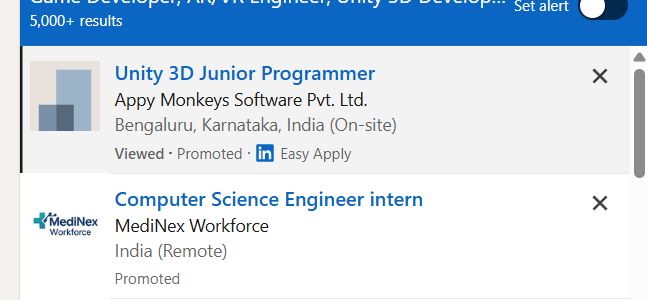
 . Students will learn Unity game engine, 3D modeling, AR/VR interactions, XR development, and real-world application creation.
This course provides hands-on experience in developing interactive AR applications, VR environments, 3D simulations, and immersive experiences for gaming, education, healthcare, architecture, and industrial applications. Join our **AR/VR Unity Training in Delhi** to gain industry-ready skills and start a career in emerging XR technologies. **Course Description (Use Delhi)**
Our **AR/VR Development (Unity) Course in Delhi** is a 5-month practical training program designed to teach learners how to build immersive Augmented Reality, Virtual Reality, and Extended Reality applications using Unity, C#, and modern 3D development technologies.
. Students will learn Unity game engine, 3D modeling, AR/VR interactions, XR development, and real-world application creation.
This course provides hands-on experience in developing interactive AR applications, VR environments, 3D simulations, and immersive experiences for gaming, education, healthcare, architecture, and industrial applications. Join our **AR/VR Unity Training in Delhi** to gain industry-ready skills and start a career in emerging XR technologies. **Course Description (Use Delhi)**
Our **AR/VR Development (Unity) Course in Delhi** is a 5-month practical training program designed to teach learners how to build immersive Augmented Reality, Virtual Reality, and Extended Reality applications using Unity, C#, and modern 3D development technologies.